In development · built with the diving community · Mac with Apple Silicon

New: Strobe & Depth New: Map & Log

Bring back the light.

Water swallows light — first the reds, then the yellows. DepthLight brings it back. It is software made only for underwater photography, and it is being built together with the people who use it: divers, snorkelers and underwater photographers.

One click gives you a great starting point. From there, you’re in control — every detail can be fine-tuned.

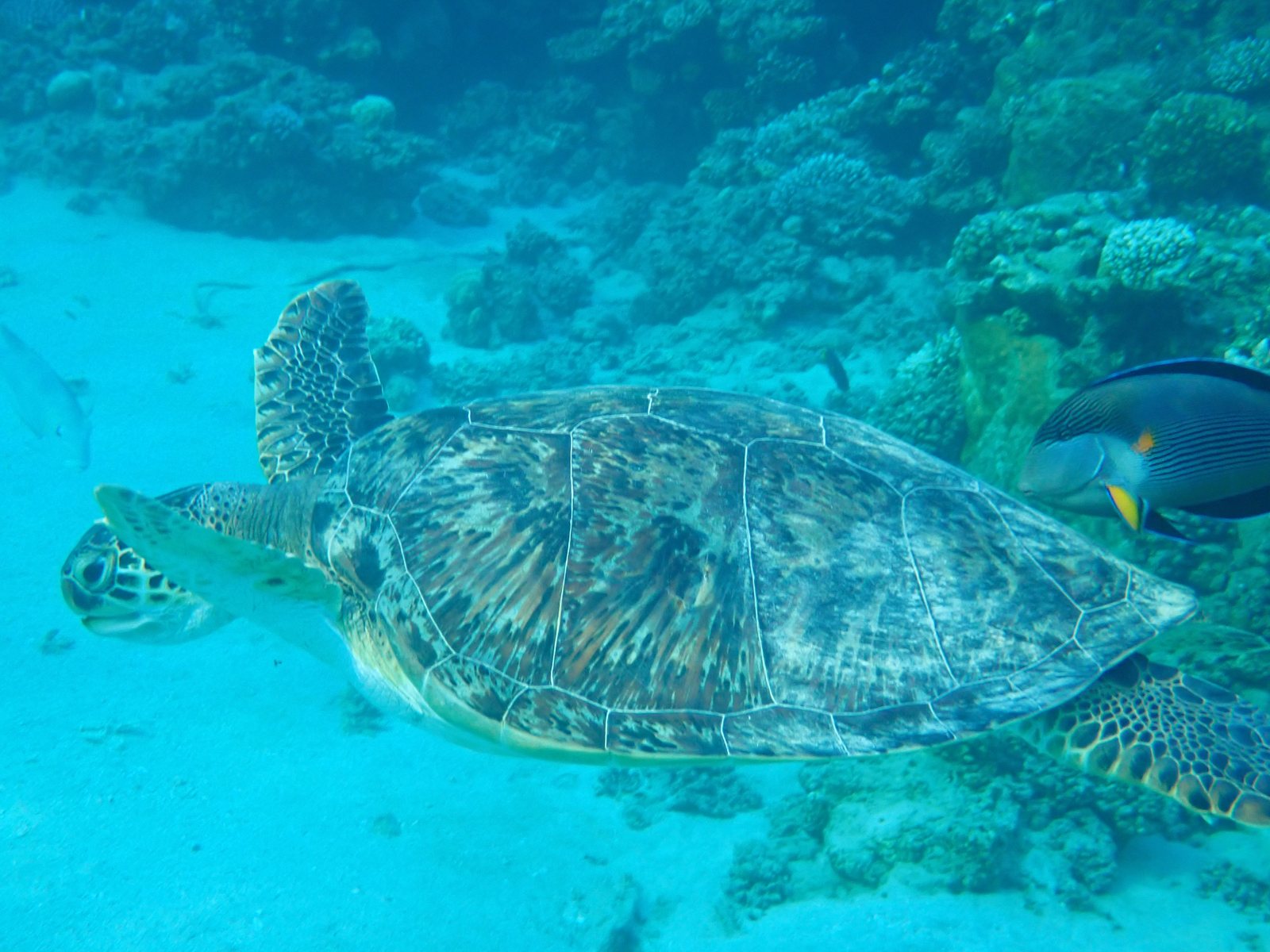
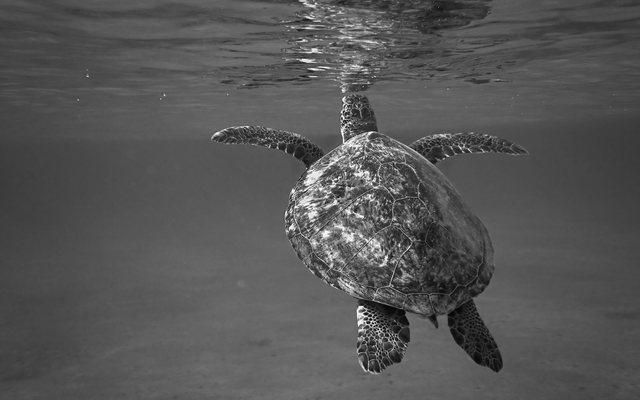
Green sea turtle after automatic correction: brown shell, white sand, natural reef colors. The same green sea turtle straight from the camera, with a strong turquoise cast. Original DepthLight
Green sea turtle, Marsa Alam, Egypt · OM System TG-7, JPEG · DepthLight Auto, one click, no manual edits · tap the buttons for species & dive data
1 click to start50+ tools to fine-tune
787marine species recognized
8,000+dive sites on the map
4 formatsdive computer import
100 %on your Mac — no cloud, no account
Community drivenbuilt with divers, for divers

Built with the community

Your photos and your ideas are what this project runs on.

I’m a software developer and an underwater photographer. DepthLight started from one simple wish: an app that understands water — not a general photo editor with an underwater preset bolted on.

The best underwater app can’t be built alone in a room. Every camera, every kind of water, every depth and every light situation behaves differently. That is why the community is at the heart of DepthLight: the photos you share make the automatic correction, the species recognition and the denoise better for everyone — and your wishes decide what gets built next.

The goal is a professional tool that lasts — built with care, not to squeeze money out of you every month.

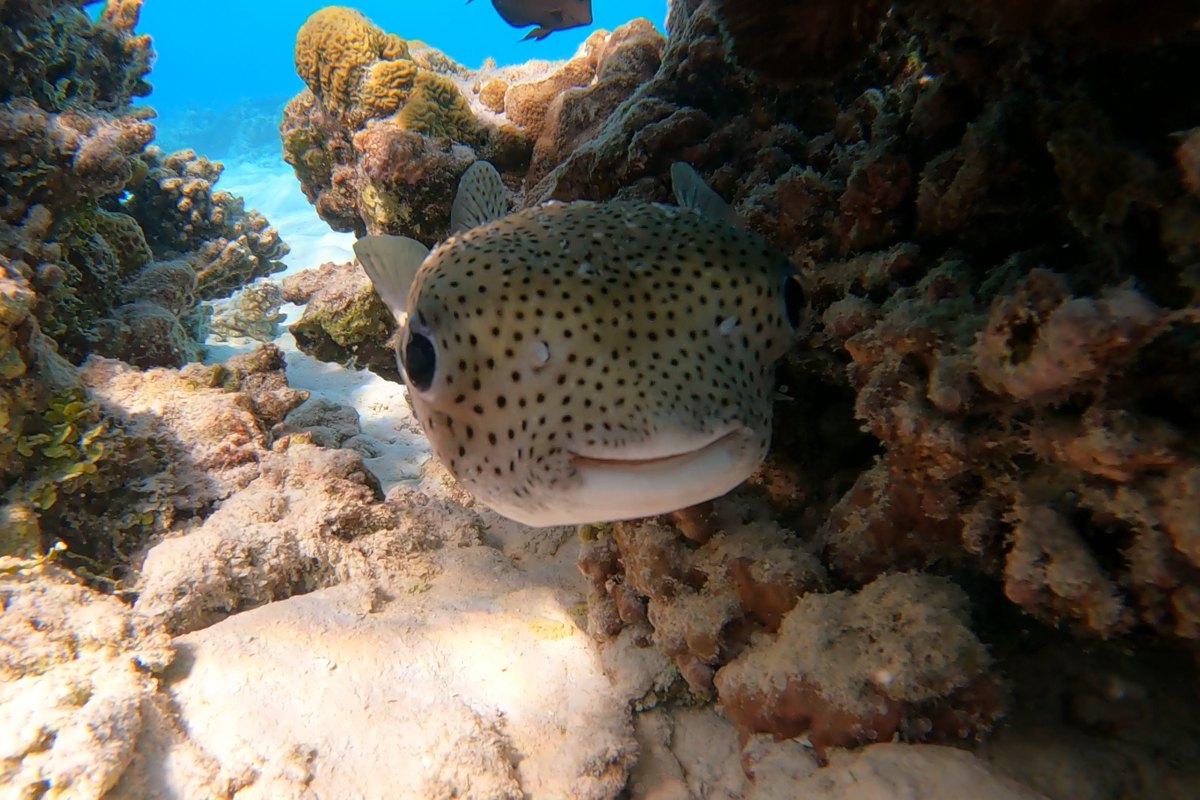
A spot-fin porcupinefish peeking out of the reef straight at the camera.
Spot-fin porcupinefish, Maldives · frame from my GoPro video
1

Share photos

Unedited photos straight from the camera, RAW or JPEG — easy ones and difficult ones. Upload them directly to Dropbox — no account needed, nobody else sees your files.

2

Share ideas

What slows you down after a dive? What do you wish an app could do? Every idea is read and answered.

3

Decide together

Ideas go onto the public roadmap. The community votes on what comes next, and beta testers try new features first.

Your photos stay yours

Photos are used only to test and improve DepthLight, and you get the edited results back. They are never passed on. A photo is only shown as an example if you explicitly agree — always with your credit.

The features

What DepthLight can do — explained one by one.

Everything you see is the real app on a Mac, with real photos from Marsa Alam and the Maldives. Each feature shows its current status, so you always know what’s ready and what’s still being built.

Alpha Color & light

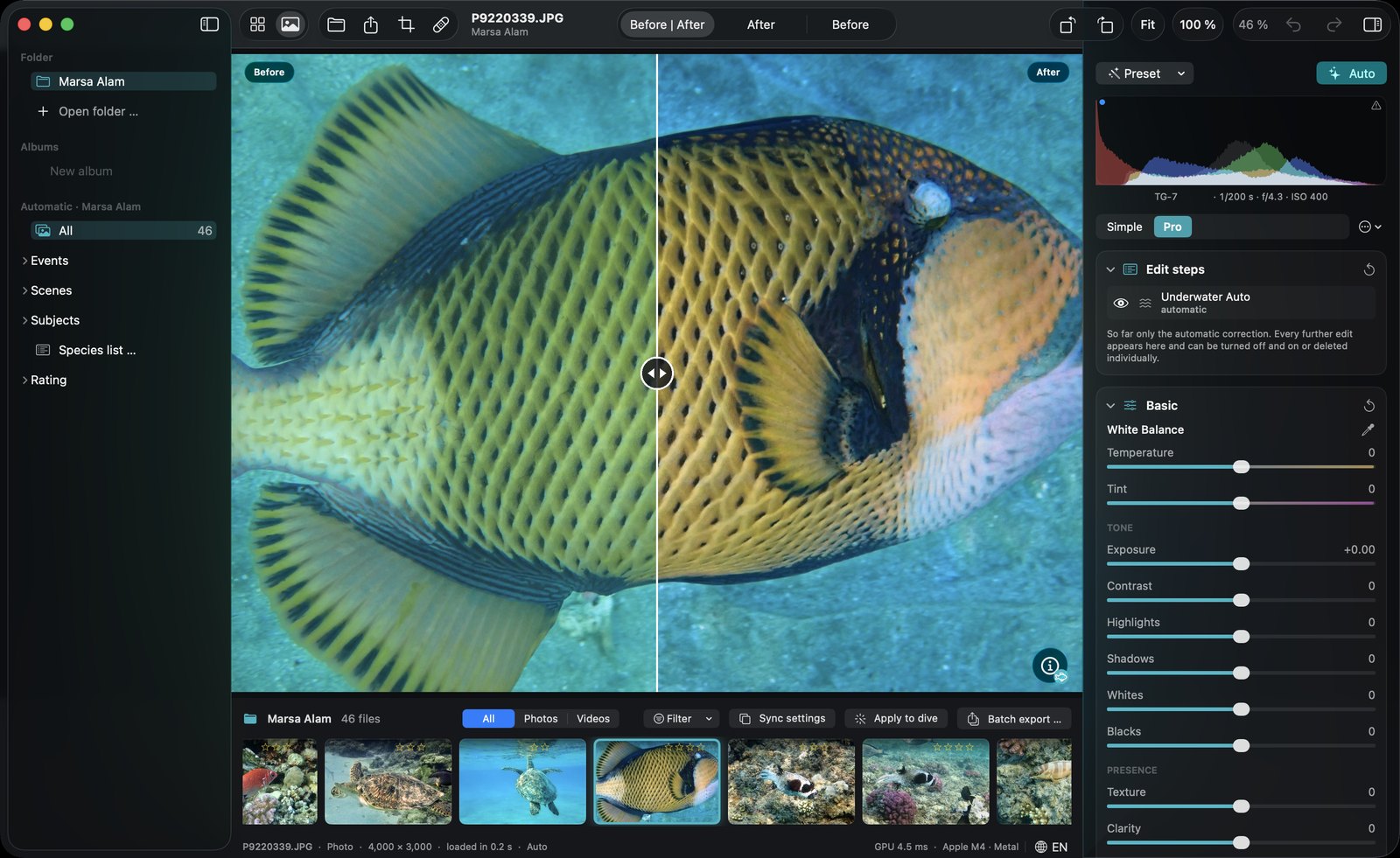
One click brings the colors back — as a starting point.

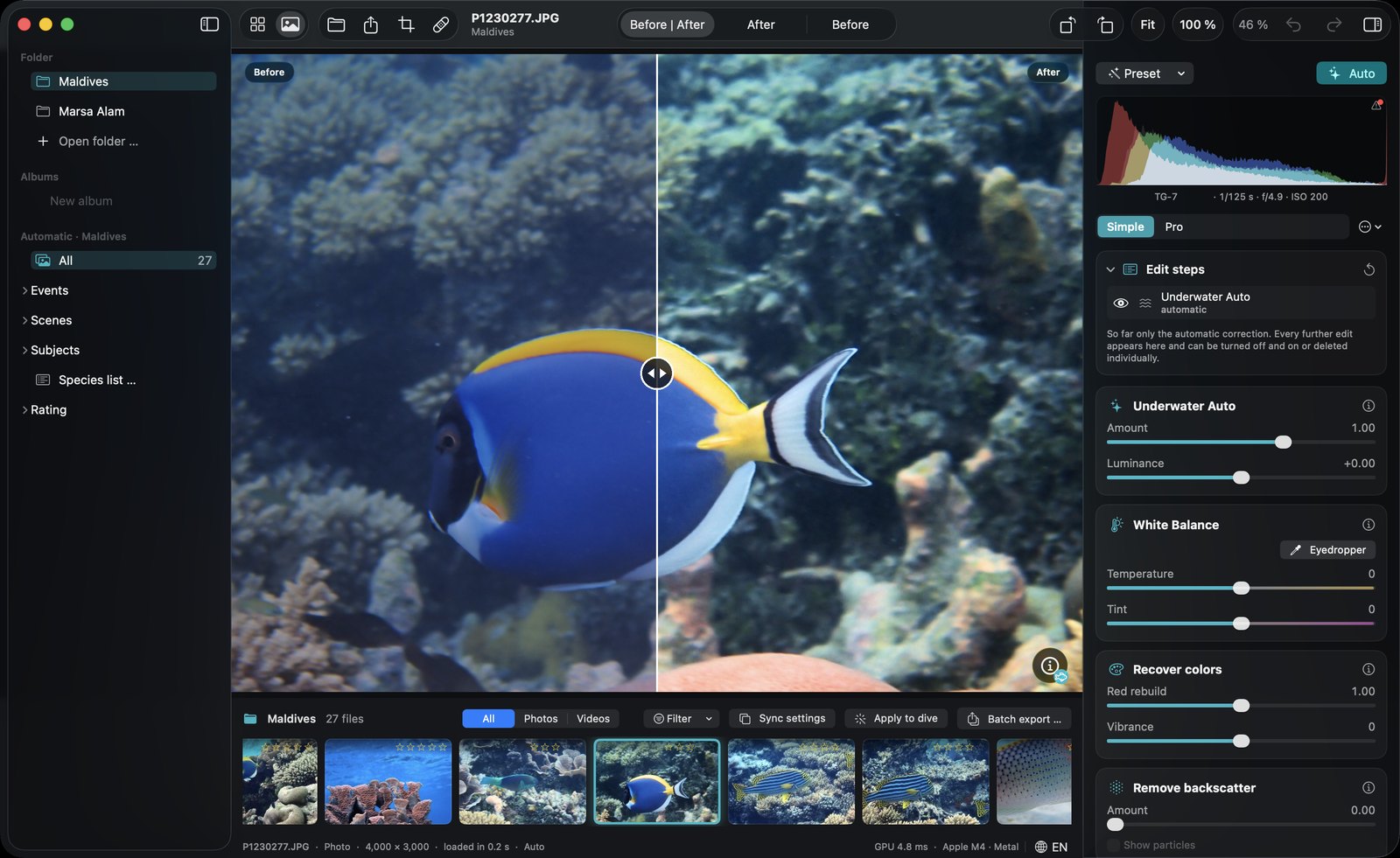
DepthLight analyses every photo on its own: how much red the water swallowed, where the water is and what is the subject. It brings the colors back without turning blue water purple or sand orange, and leaves good photos almost untouched. The one click is where you start, every slider stays yours.
More on this topic →

DepthLight editor in Simple mode: before/after split of a powder blue tang, cards for Underwater Auto, White Balance, Recover colors and Remove backscatter.

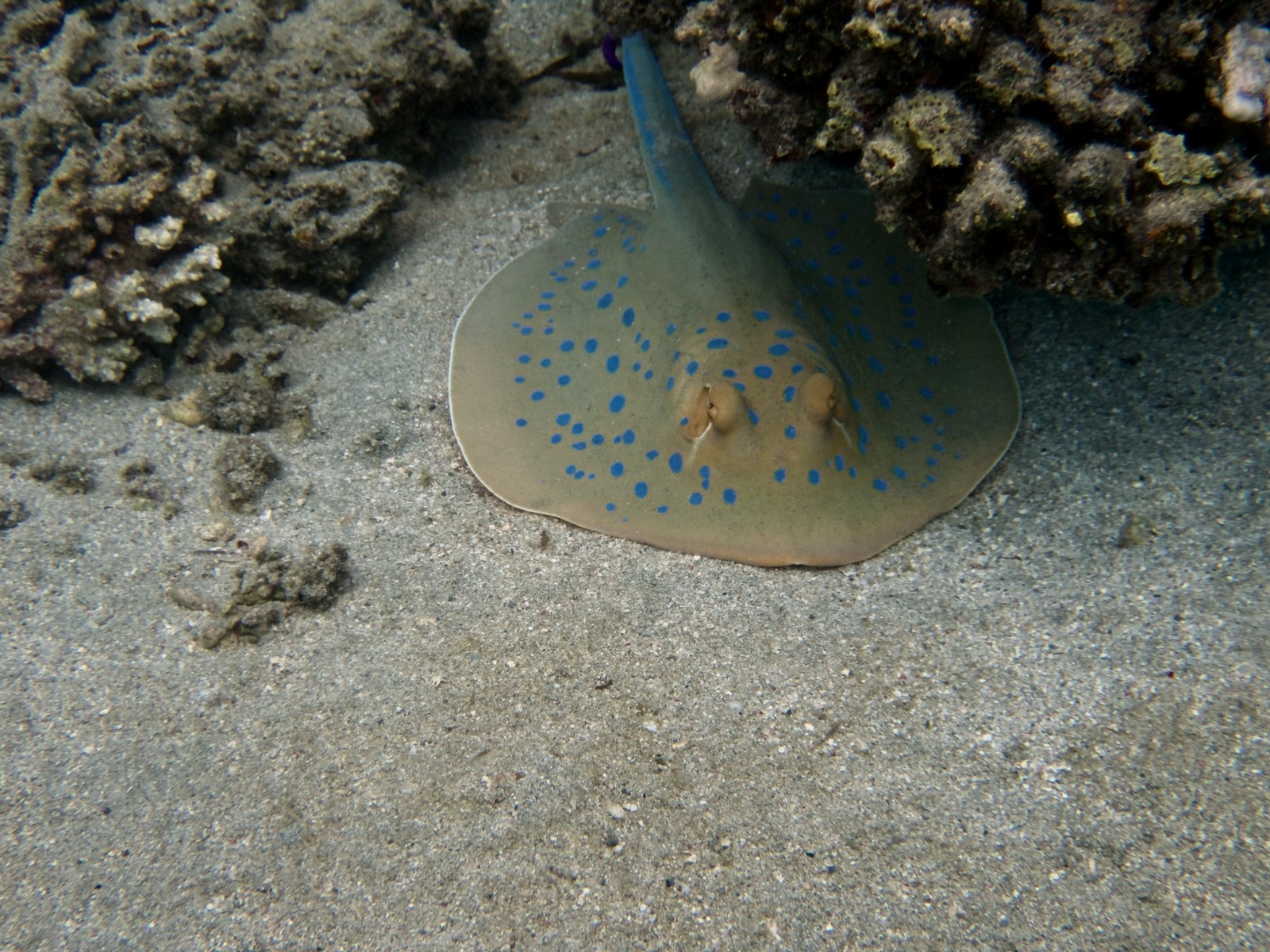
New · Test Strobe & Depth

Set your strobe after the dive.

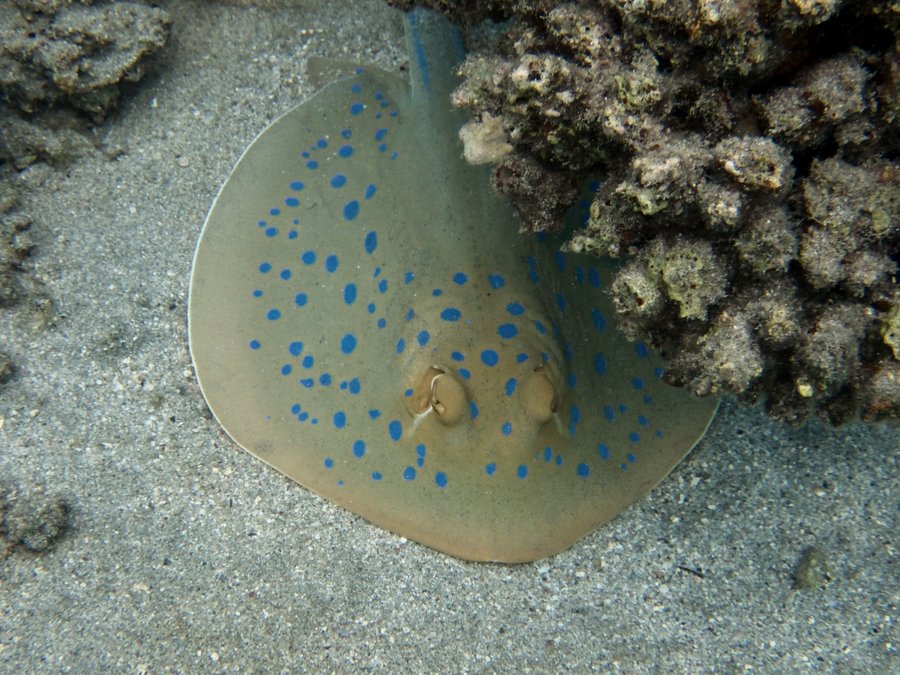
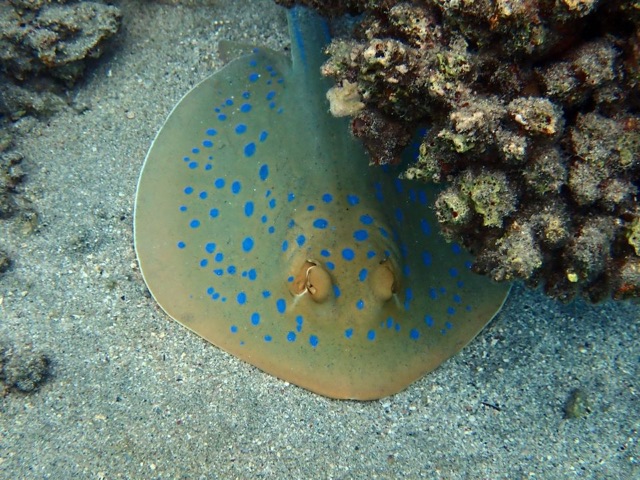
Strobe too weak, or pointed the wrong way? DepthLight now understands how far away every part of your photo is, and lets you place light where it belongs, after the dive.

More on this topic →

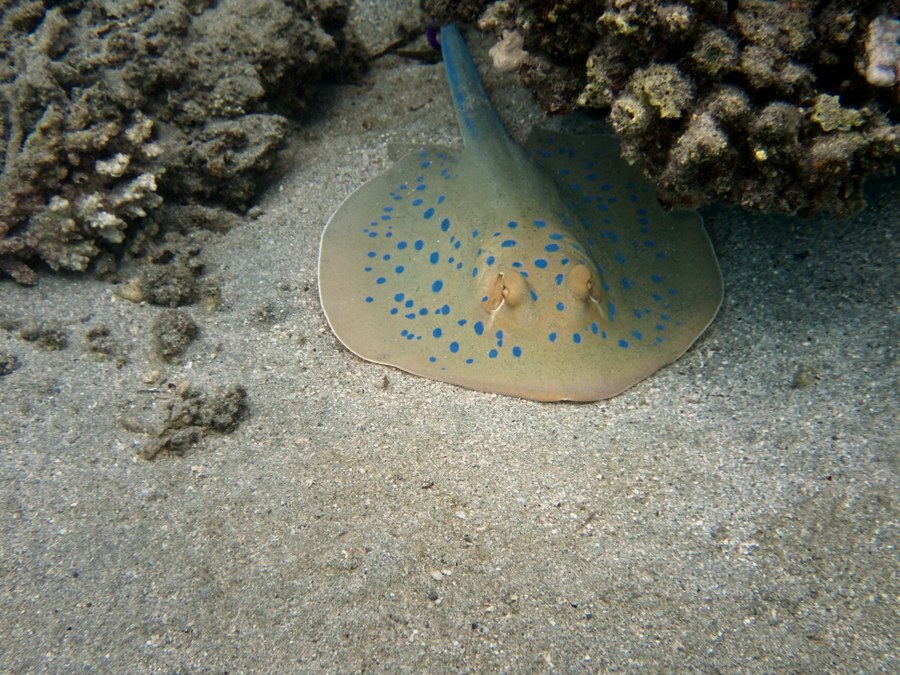
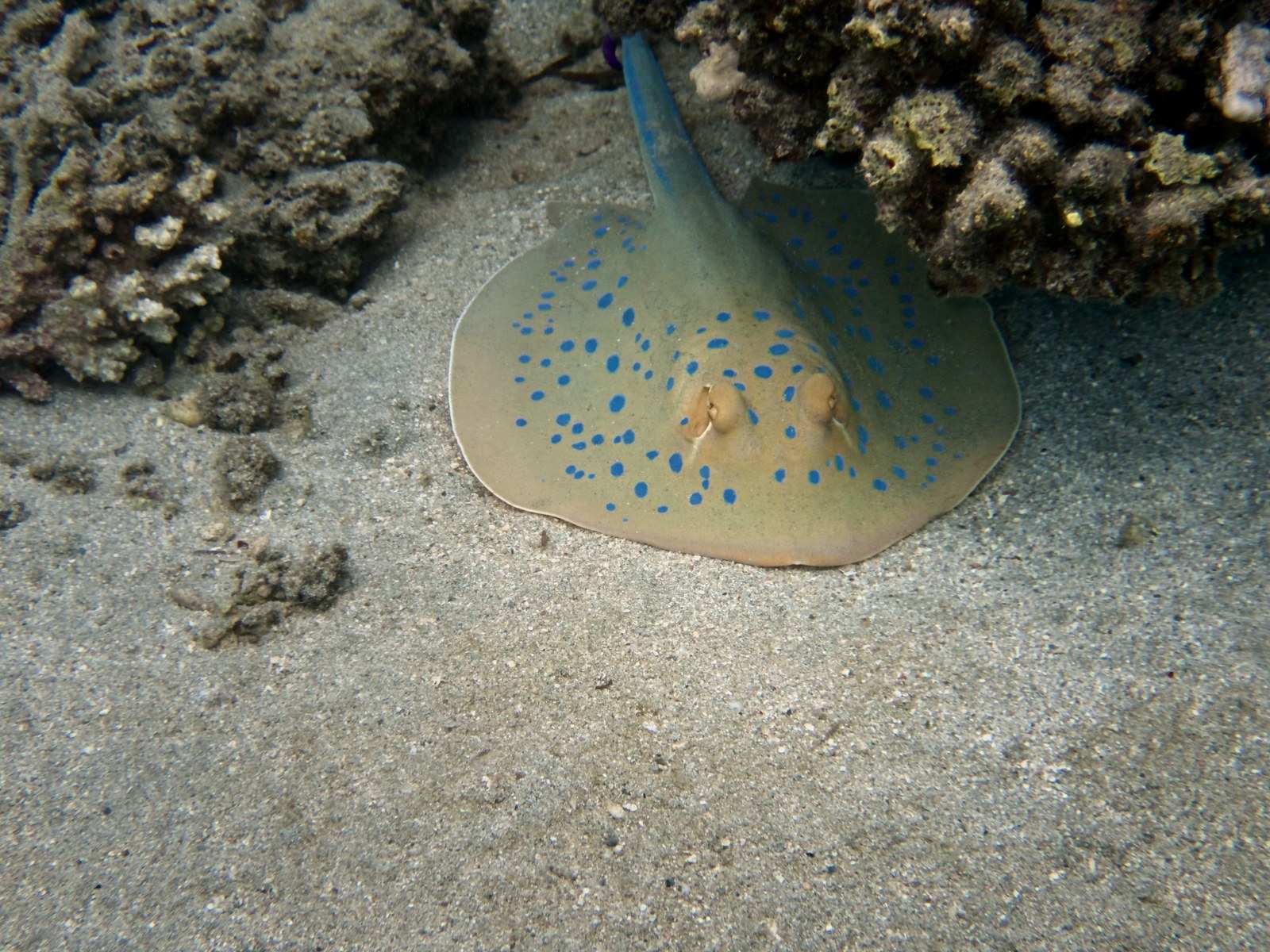
Blue-spotted ribbontail ray with a virtual strobe: the ray is brighter and warmer, the sand stays natural. The same ray after the automatic color correction, without extra light. Original Virtual Strobe

Alpha Color & light

Simple when you want it. Pro when you need it.

Start with a few clear cards — strength, brightness, white balance, colors. When you want more, switch to Pro: tone curve, color mixer, color grading, clarity, texture, dehaze, lens corrections and sharpening. Every step appears in a list you can switch on and off. Nothing is ever destructive: your original file is never touched.

More on this topic →

DepthLight editor in Pro mode with tone curve, color mixer and detail panels.

Alpha Backscatter

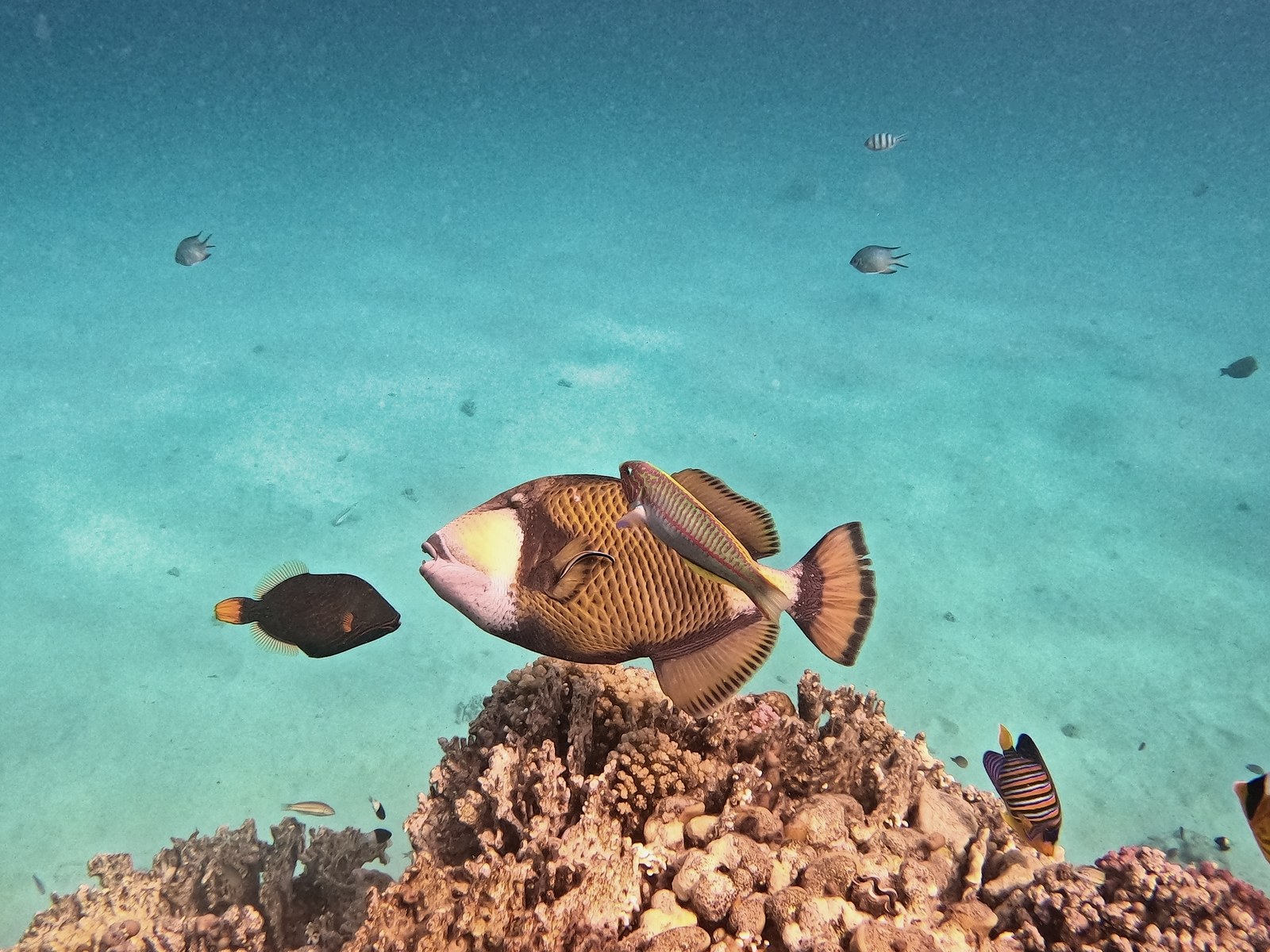
Floating particles? Gone.

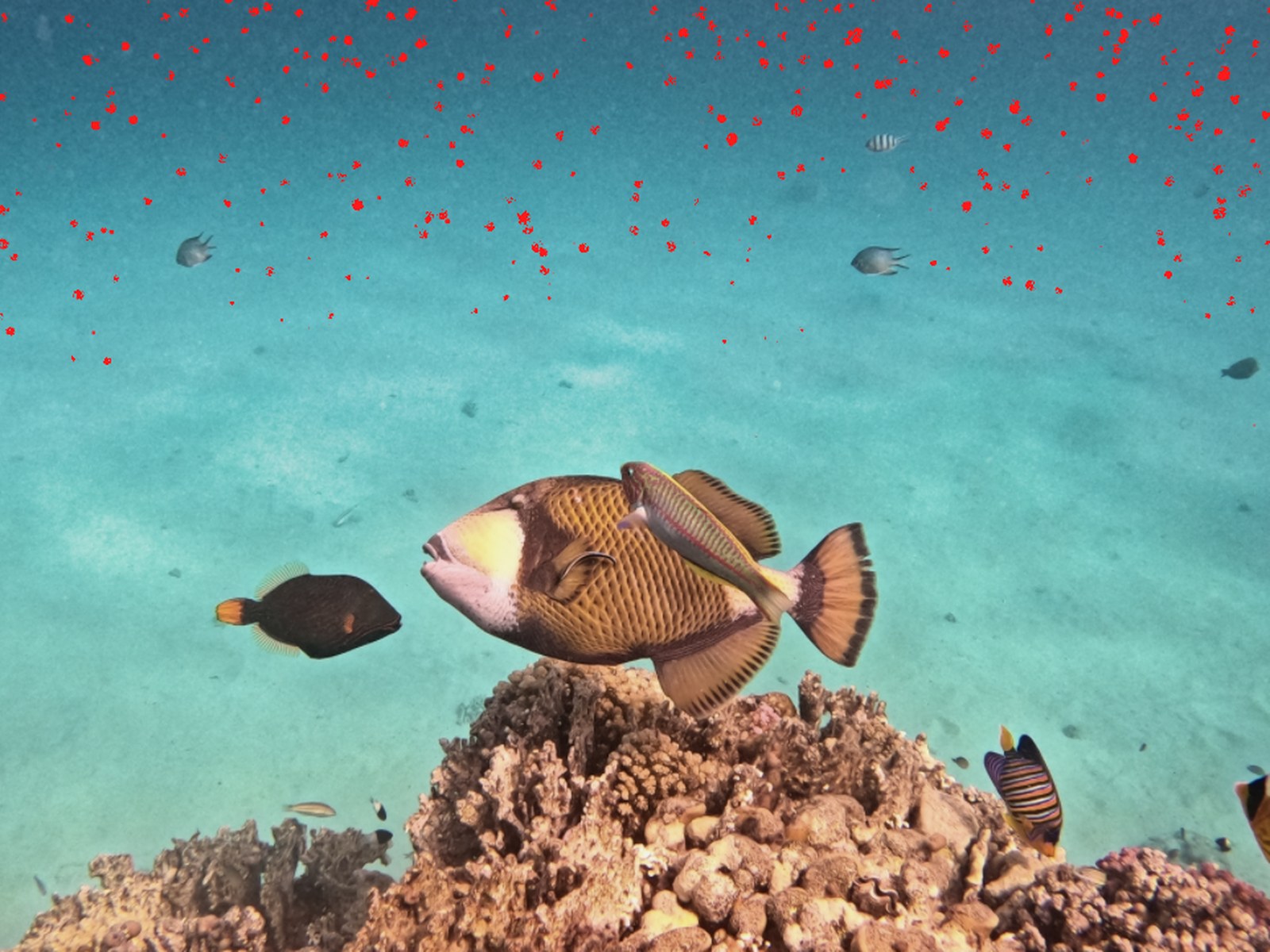
Sand, plankton and tiny particles light up in front of the lens — especially with a strobe or in murky water. DepthLight finds these spots and removes them, but only in open water: fish, corals and sand keep every detail. The app decides on its own how strongly to remove them, and you can always adjust it with one slider.

More on this topic →

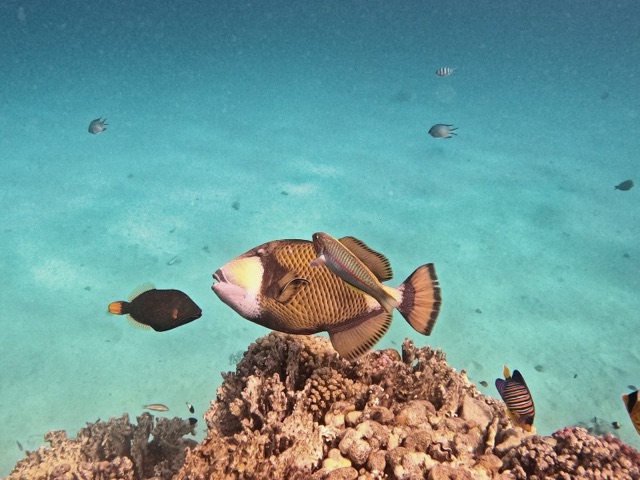
Titan triggerfish over the reef after backscatter removal: clear turquoise water. The same photo with “Show particles”: every particle is marked in red. Particles marked Removed
Drag the slider: every red dot is a particle that DepthLight removes — fish and reef stay untouched. Titan triggerfish · Marsa Alam · GoPro

Alpha Masks & local edits

Masks that understand water.

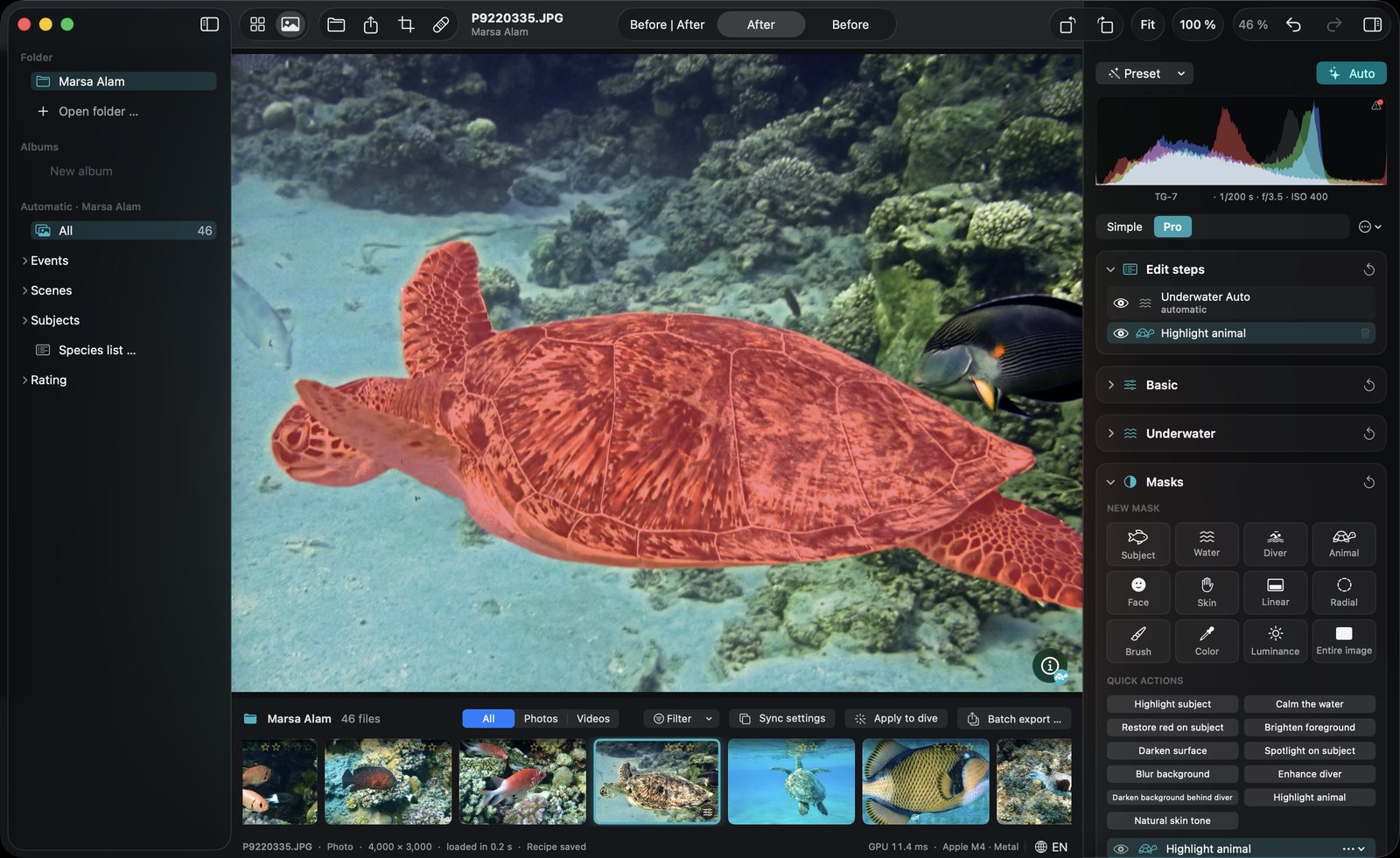
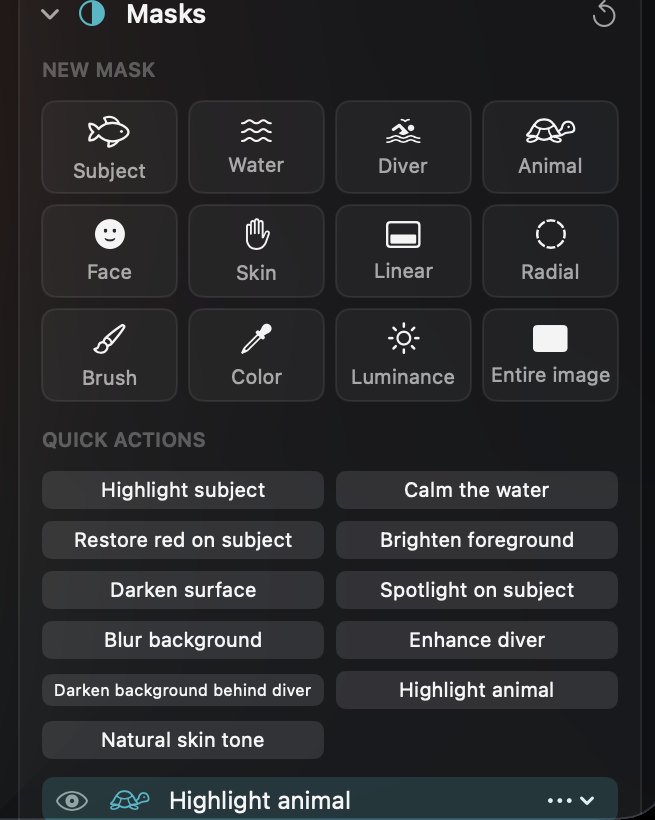
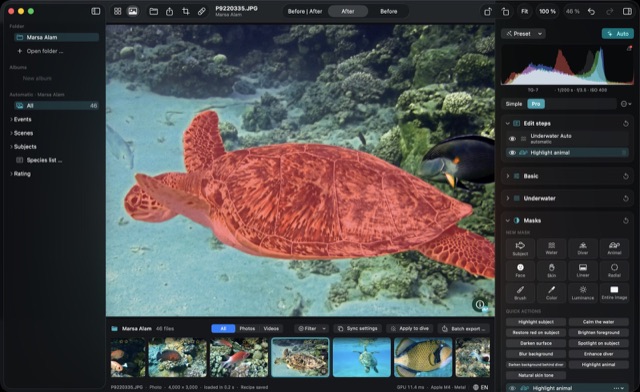
Select the subject, the water, a diver, an animal or a face with one click — or paint, draw gradients and pick colors. Quick actions do the typical underwater jobs for you: calm the water, restore red on the subject, darken the background, blur it without halos.

More on this topic →

DepthLight editor with a green sea turtle selected by the Animal mask (shown in red) and the Masks panel open. Close-up of the Masks panel: tiles for Subject, Water, Diver, Animal, Face, Skin, Linear, Radial, Brush, Color, Luminance and Entire image, plus quick actions.

Alpha Library

A library built for dive trips.

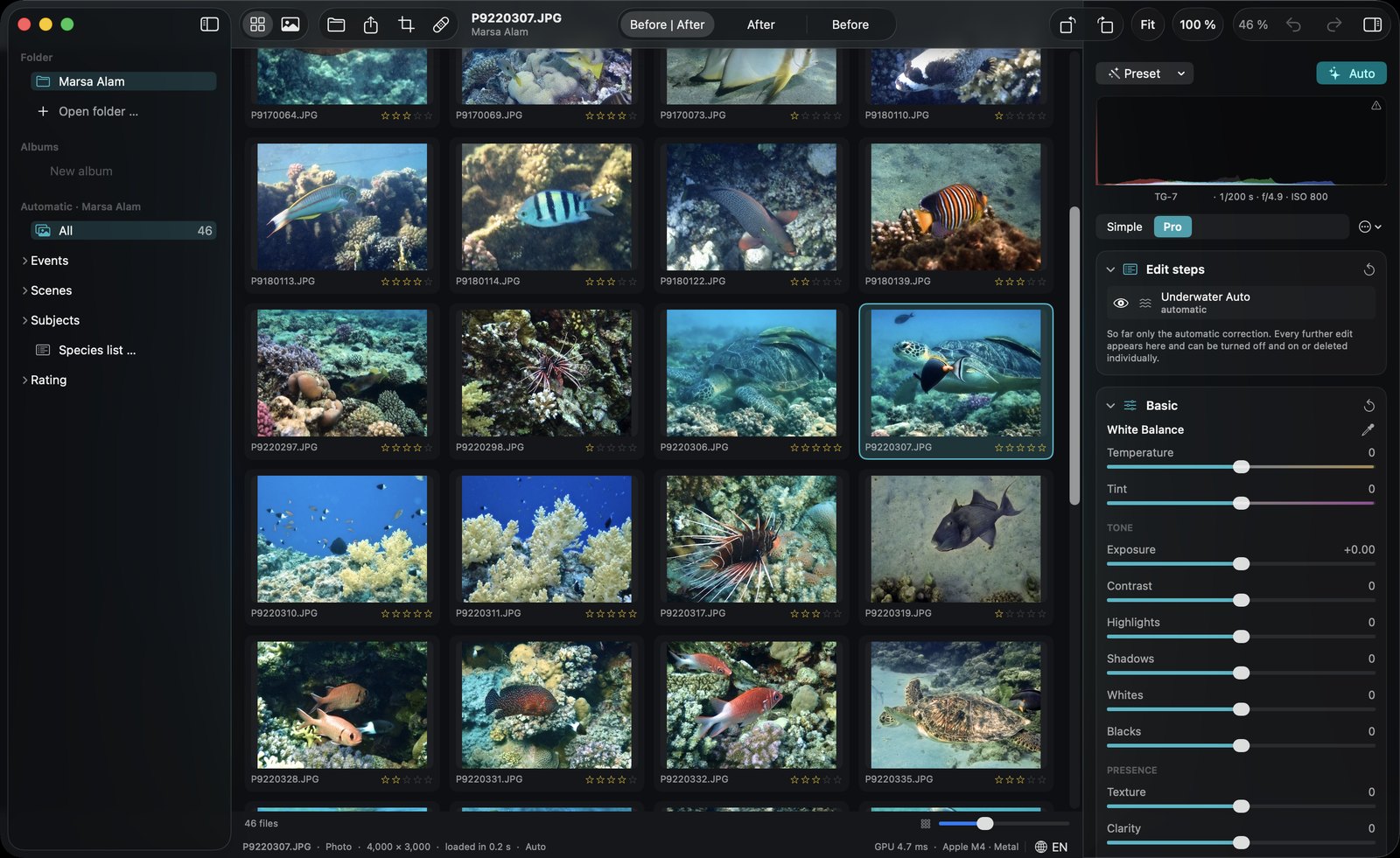
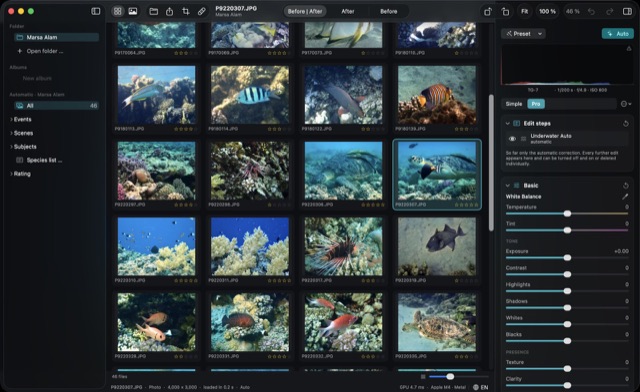
Browse your folders like in the Finder — nothing is imported or copied. Photos are grouped into dives automatically, sorted by scene and by the species you saw. And after a long dive day, DepthLight suggests the best shots of every dive: sharp, well exposed, nicely framed, no cut-off fins, no closed eyes.

More on this topic →

DepthLight library grid with corrected thumbnails, star ratings and the sidebar with folders, events, scenes and subjects.

New · Alpha DiveMap

All your dive sites on one map.

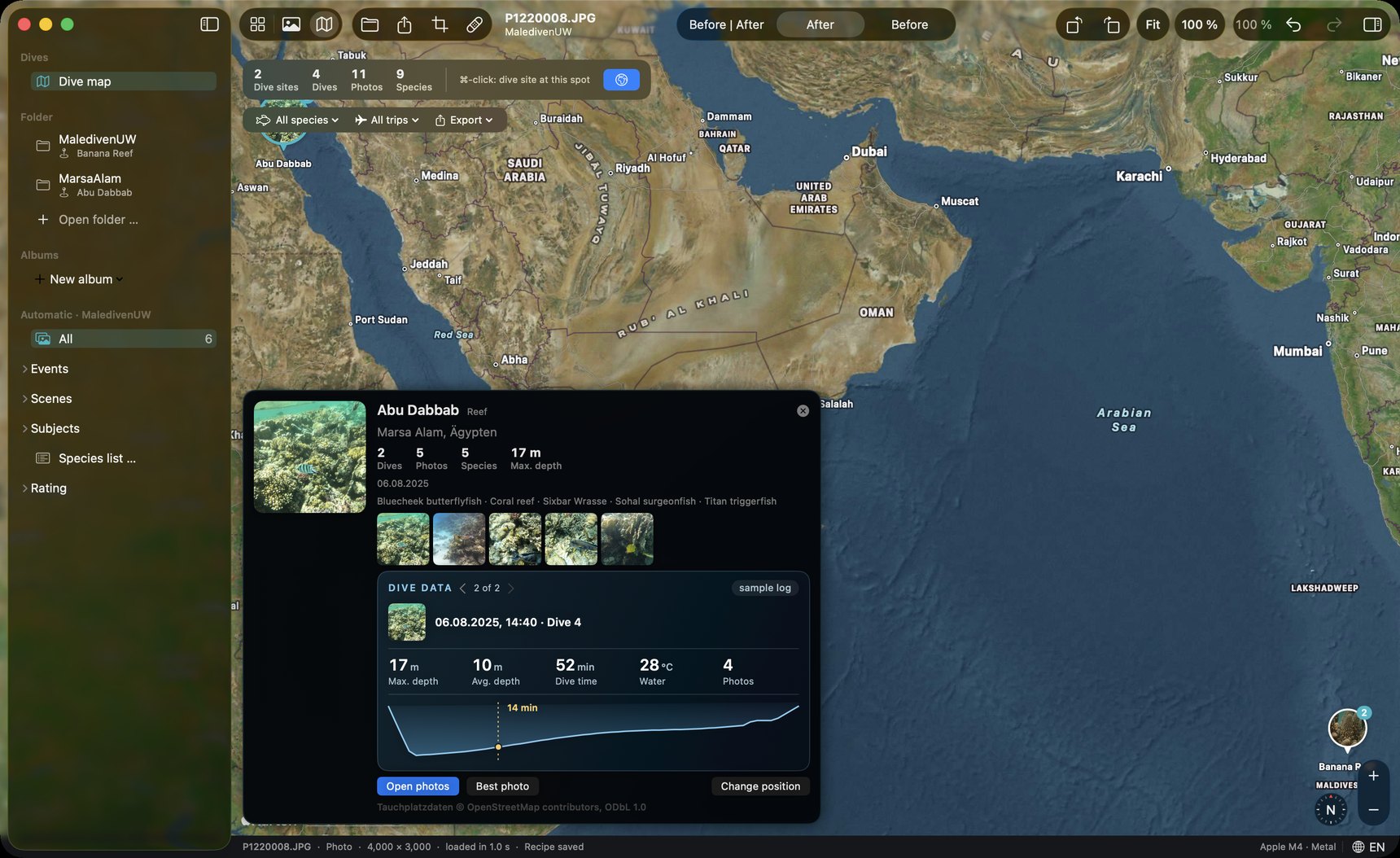
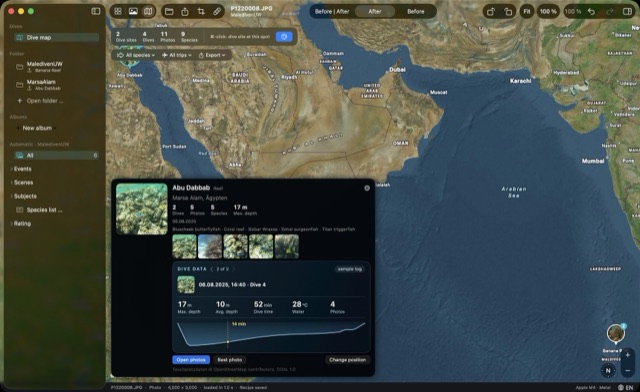
Where was that turtle again? DepthLight puts your dives on a map: with your best photos, the species you saw and your dive log, from the depth curve to the water temperature.

More on this topic →

DepthLight dive map: a pin at Abu Dabbab, Marsa Alam, with photos, species and the dive data of the selected dive

Alpha Dive-data overlay

Your dive, in the picture.

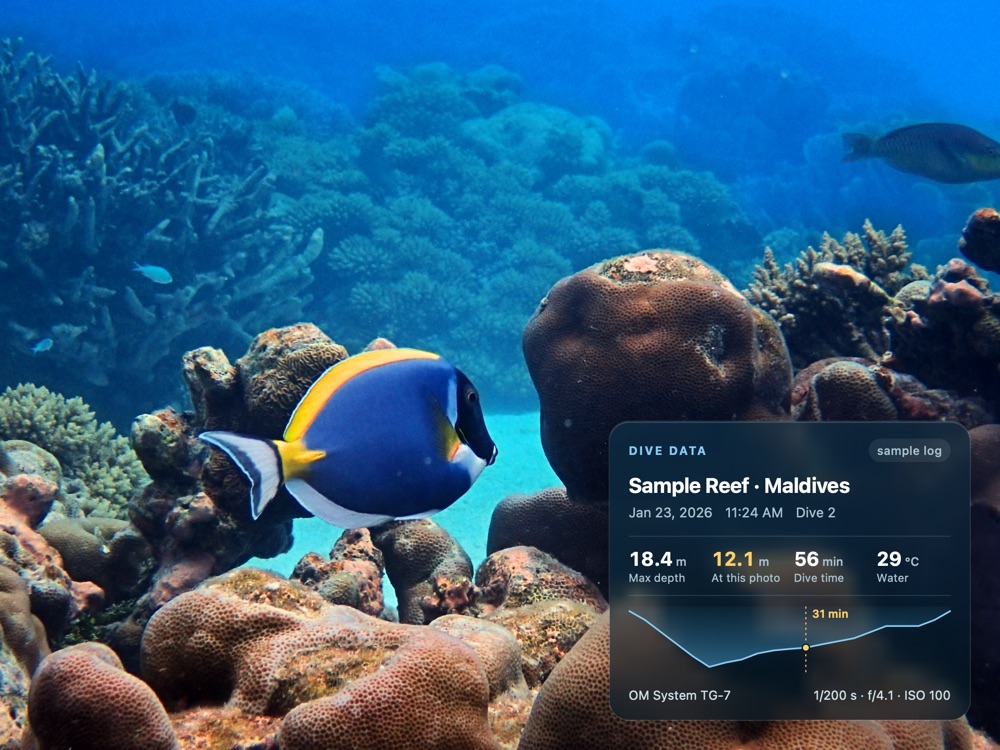
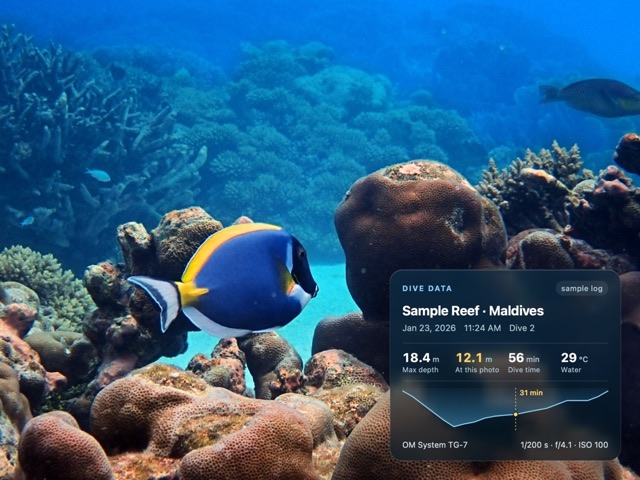
Show the dive data right on the photo — for Instagram, prints or your logbook. Choose what to show (site, date, depth at the photo, max depth, time, temperature, GPS, camera, dive computer, depth profile) and pick one of six styles.

More on this topic →

Photo with dive-data overlay: site, depth, dive time, temperature and depth profile.
Shown with sample dive data

Alpha · improving Critter recognition

Knows what you photographed.

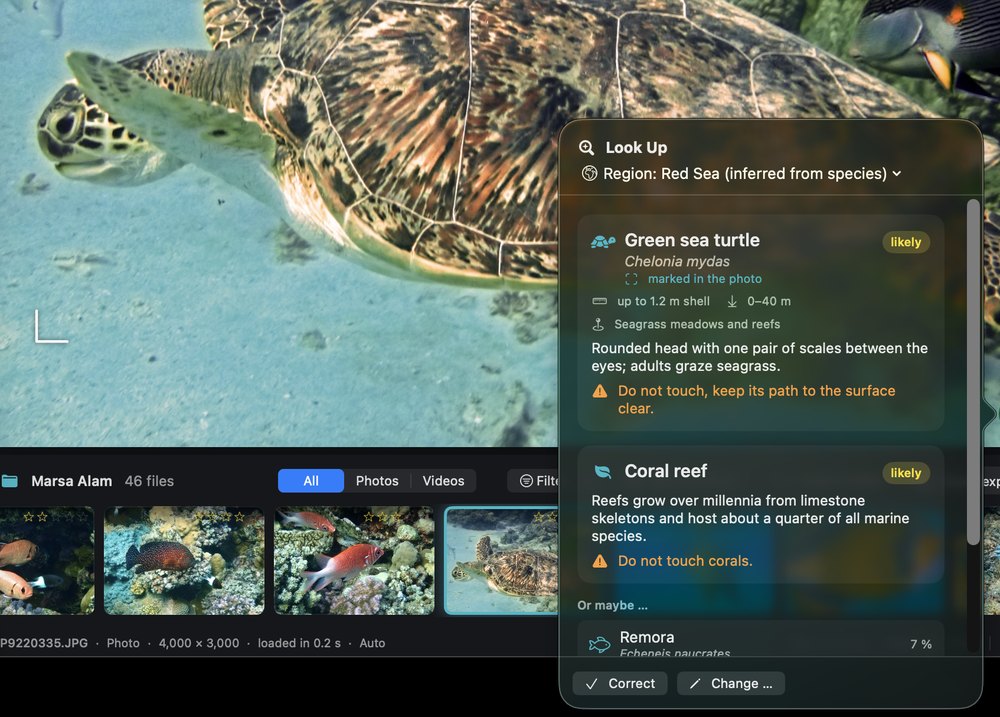
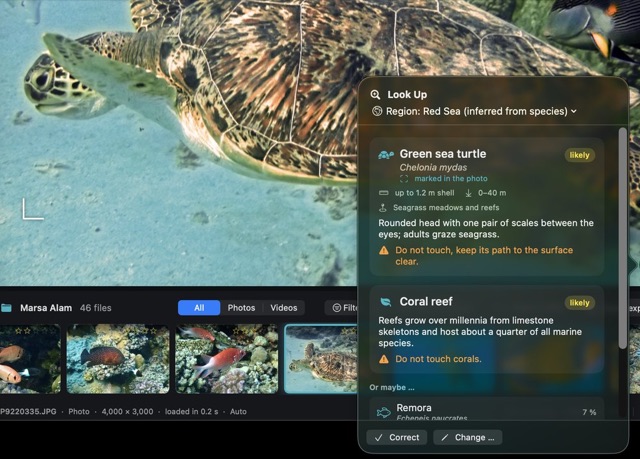
A recognition model trained on reef life names the animals in your photos — 787 species of fish, corals, turtles, rays, sharks, nudibranchs and more. Every animal in the frame is identified on its own, and each species comes with a short profile: size, depth, habitat, and what to watch out for.

More on this topic →

Species profile in the app: Green sea turtle, Chelonia mydas, up to 1.2 m shell, 0–40 m, with a note not to block its way to the surface.

Alpha Export & Lightroom

Your photo, ready for anywhere.

Export in the format you need, from JPEG to a linear 16-bit DNG, in social formats or as a before/after clip. If you work with Lightroom Classic, DepthLight fits in as the underwater step and hands the photo back. Your metadata stays with the photo.

More on this topic →

Clips straight from the app’s before/after export

Alpha · in training Denoise

Less noise, all the detail.

Deep water, little light, high ISO: grain is part of underwater photography. DepthLight has its own denoise network, trained specifically for underwater scenes — it should remove the noise and keep the structure of corals, scales and skin. It runs on your Mac, and you decide how strong it is.

  • Own neural network, runs locally on the Apple GPU
  • Preview right away, full quality in the background
  • One slider mixes original and denoised result

The network is still in training. Example images will follow as soon as the results are convincing — noisy photos from the community are especially valuable here.

More on this topic →

Latest

What’s new.

What’s next

You decide what comes next.

The roadmap is public. These are the topics on the table right now — tell us what matters most to you.

Even better color

Measuring the automatic correction against reference edits, so that every photo gets better — never worse.

Stronger recognition

A new recognition model, more species, better results on small animals and schools of fish.

Denoise & detail

The denoise network keeps training, followed by careful sharpening for scales, corals and skin.

More dive sites

Spot suggestions from the community, place names and regions that are still missing — like the Addu Atoll.

iPhone & iPad

The same correction on the go, right after the dive.

Your idea

Something missing? That’s exactly what this page is for. Send it.

This page grows with the project. If the community wants it, it will be updated regularly with what’s new — and with news by email for everyone who would like that.

Join in

Help build the underwater app you want to use.

Send photos, share ideas, or apply as a beta tester. The first beta round with ten testers is planned to start in December 2026 at the earliest — tell me your camera and the kind of diving you do.

How the community works →

or write to elementsmagics@gmail.com

  • Mac with Apple Silicon (M1 or newer)
  • macOS 26 or newer
  • iPhone version planned