Alpha Dive-data overlay
Your dive, in the picture.
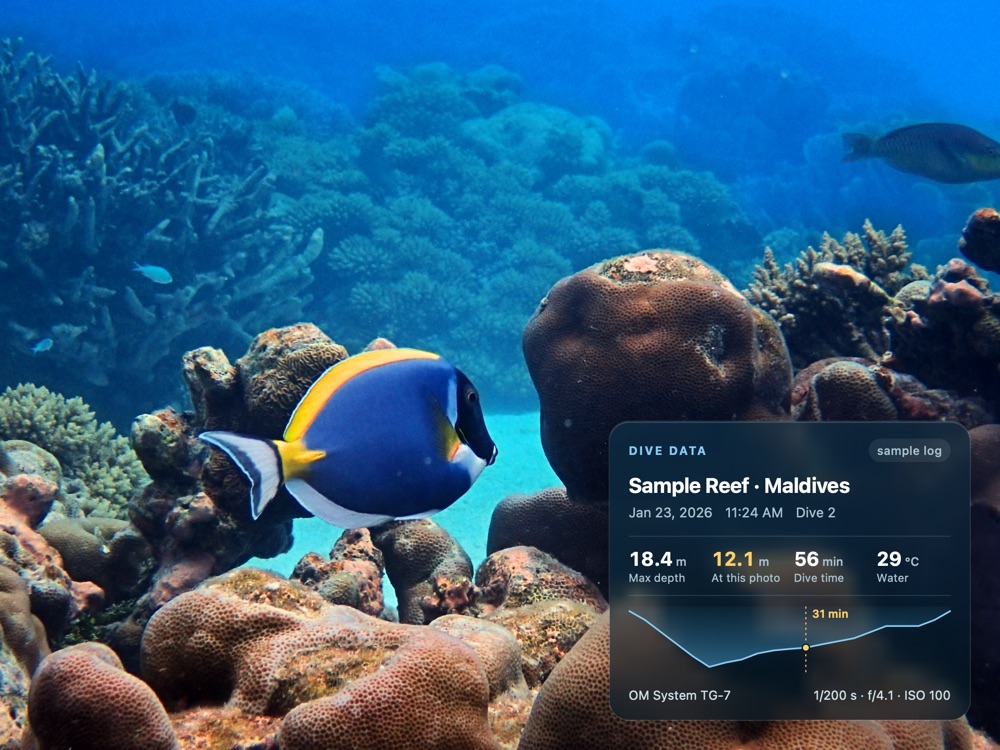
Show the dive data right on the photo — for Instagram, prints or your logbook. Choose what to show (site, date, depth at the photo, max depth, time, temperature, GPS, camera, dive computer, depth profile) and pick one of six styles.
- 20 fields, each can be shown or hidden
- The original stays clean — the overlay is added on export
How it works.
- Import your dive logSubsurface, UDDF, Garmin FIT or Shearwater CSV. Photos are matched by their time.
- Choose the fieldsSite, depth at the photo, time, temperature, camera, depth profile and more.
- Pick a styleSix styles and six positions, with size, colors and glow.
- ExportThe overlay is added on export, your original stays clean.
Details for pros
Dive tools
- Dive log import Subsurface, UDDF, Garmin FIT and Shearwater / CSV. Other dive computers via a Subsurface or UDDF export.
- Photos ↔ dives Matched by capture time, with an adjustable camera clock offset. Depth, temperature and dive data fill in automatically.
- Dive-data overlay 20 fields (site, depth, time, temperature, camera settings, dive number …), 6 styles: Dive log, Plain, Glass, Gradient, Hologram, Depth gauge. 6 positions, size, colors, glow.
- Depth profile Your dive curve in the overlay, with the moment of the photo marked.
- Logbook PDF Trip cover, dive table, one page per dive with best photos and species, plus a species page.
- Camera depth Uses the depth some cameras record (e.g. OM System TG).
- GPS from the dive computer Photos get the nearest known dive site automatically.