New
Black & White
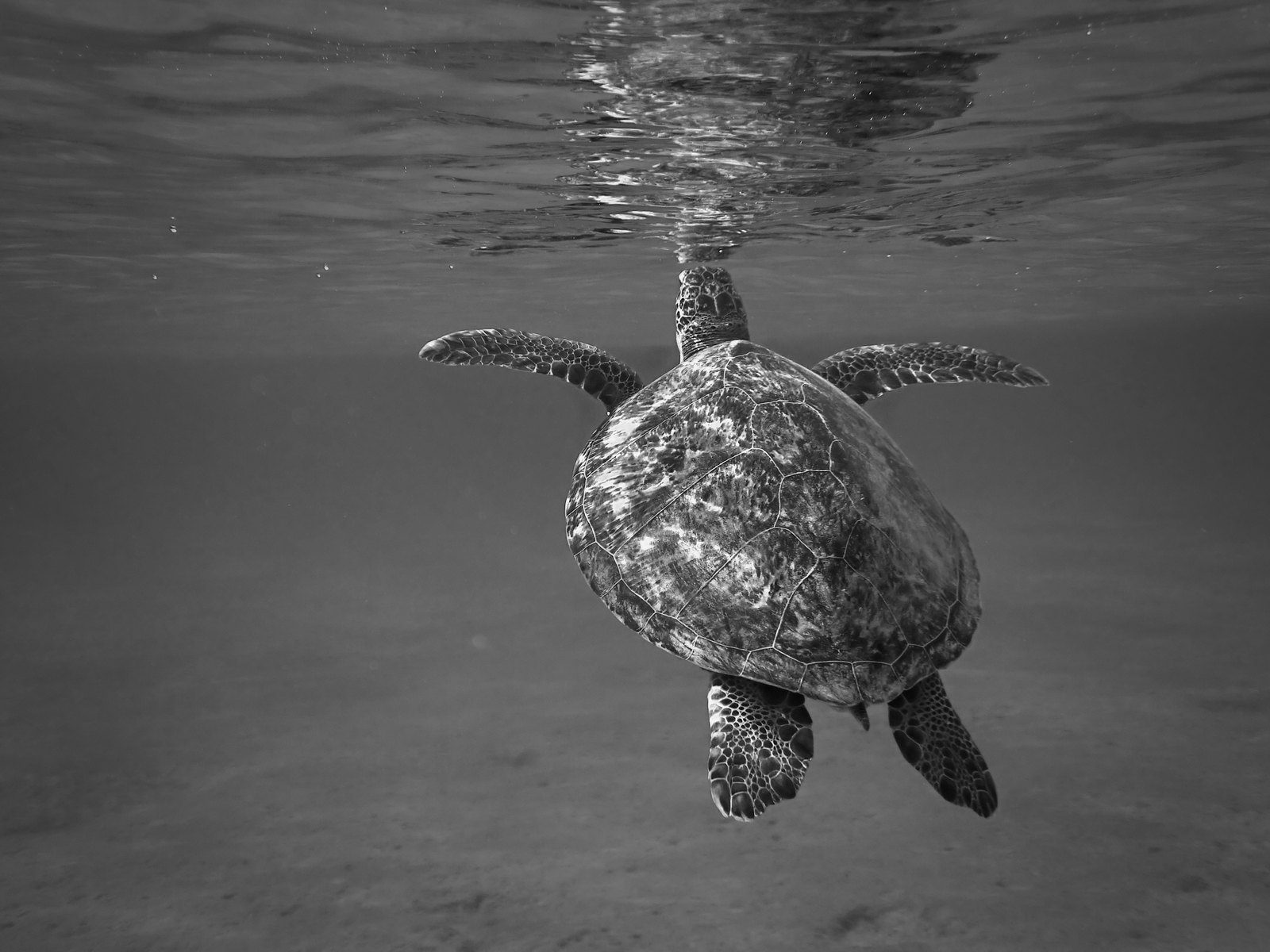
Without color, only light, form and texture remain.
Underwater, black and white is more than a filter. The blue that dominates every photo becomes a deep, calm tone, the subject stands out bright against it, and the light from the surface draws the picture. DepthLight converts with an eight-band gray mixer that knows the water: it sets the mix for every photo automatically – and you take over whenever you like.
 Color
Black & White
Color
Black & White
Why black and white underwater?
Many of the strongest underwater photos have no color at all. For good reasons.
Light and form
Rays from the surface, the shape of a turtle, the pattern of a fish – without color the eye goes straight to what makes the picture.
No more color cast
Green water, a missing strobe, a blue haze: problems that are hard to fix in color simply turn into tones.
Mood that lasts
A wreck, a shark in the blue, a shoal against the light – black and white gives them depth and a timeless calm.
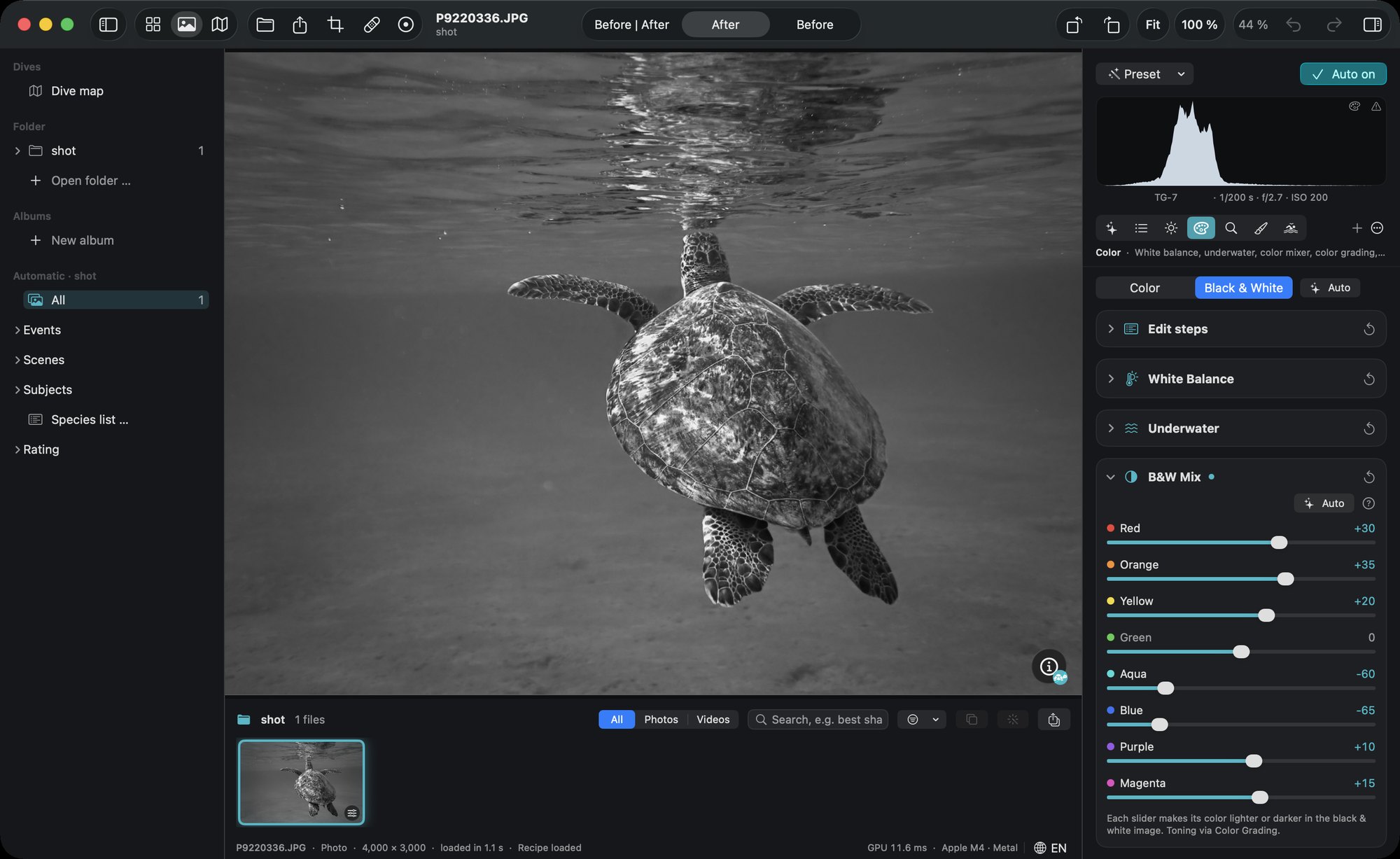
All settings in one place.
The switch at the top of the Color tab, Auto for the gray mix of this photo and one slider per color band. Toning comes from Color Grading right below.
Made for water.
A black and white conversion that understands what is in an underwater photo.
Auto per photo
The more water in the picture, the darker blue and aqua become. Warm subjects – fish, coral, skin – get brighter. Green water is darkened too.
8-band gray mixer
Red, orange, yellow, green, aqua, blue, purple, magenta: each color decides how bright its gray becomes. The bands blend softly, without edges in gradients.
Toning
Color grading tints shadows, midtones and highlights – from a cool silver to a warm print look. Without toning every gray stays exactly neutral.
Three looks
Wreck, Shark / sun rays and Macro as starting points – the mix of each look is added to the automatic mix of your photo.
How it works in the app.
Three steps.
1 · Switch
Click Black & White at the top of the Color tab, or press V – in Simple and in Pro.
2 · Auto
The first time you switch, DepthLight sets the gray mix for this photo. Auto sets it again at any time.
3 · Refine
Move the color bands, then light, curve, clarity and dehaze as usual. Masks and Smart Points keep working.
Details for pros
- Conversion at the right point Light, curve, clarity, dehaze and calibration work as in color; the conversion follows them, behind the masks. Local white balance or saturation sliders shift the grays but never tint them.
- What does not apply Saturation, vibrance, color mixer and point color have no effect in black and white – as in Lightroom.
- Grain and vignette after the conversion Toning, grain and vignette are applied to the finished black and white image.
- Lightroom Black and white and the gray mixer are taken over from Lightroom XMP files.
- Back to color at any time One click, your color edit is still there. The original file is never changed.
All photos: Jürgen Heiss – rendered with DepthLight. “Color” = the same photo with the automatic correction in color.