
New

Dive Map & Log

Every dive site on one map.

Where was that turtle again? DepthLight puts your dives on a map: with your best photos, the species you saw and your dive log, from the depth curve to the water temperature.

1Your dives on the map.

One pin per dive site, across all your folders. Click a pin: photos, species, number of dives and the deepest point. Page through every dive with the arrows.

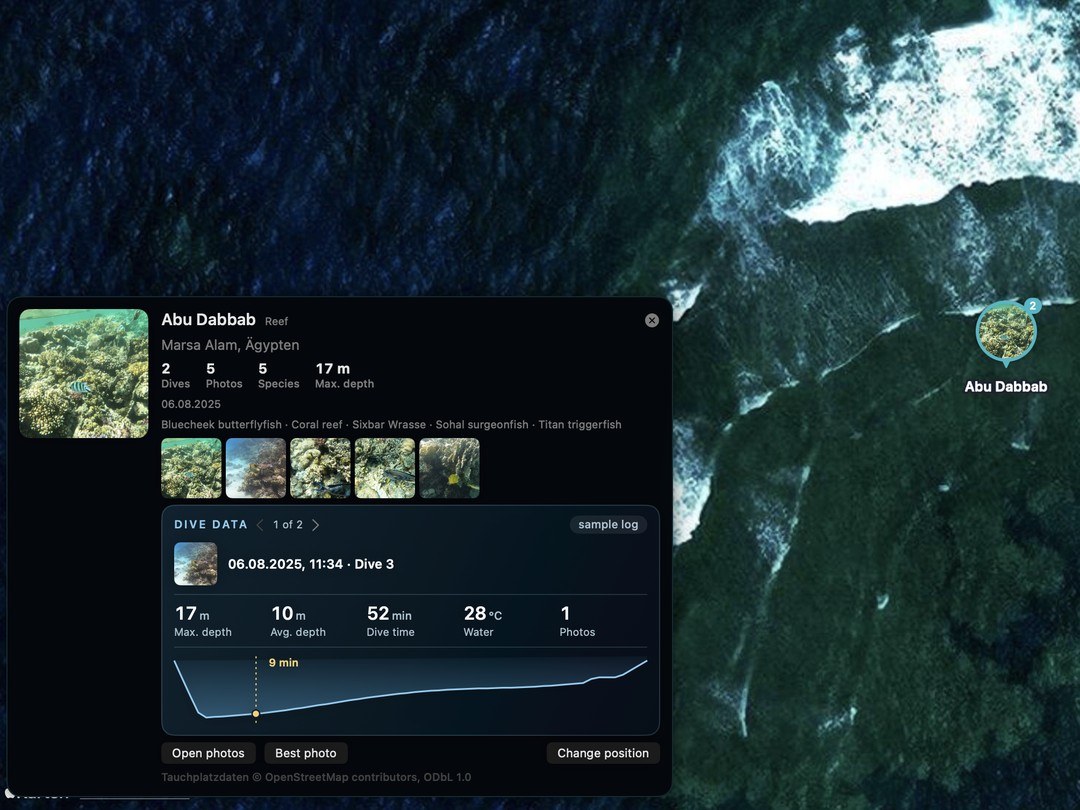
DepthLight dive map: a pin at Abu Dabbab, Marsa Alam, with photos, species and the dive data of the selected dive
All folders, one mapEvery folder with a dive site shows up as a pin. Two visits to the same site become one pin with two dives.
Filter by species and tripShow only the sites where you photographed a certain species, or a single trip with its route.
On your MacYour photos and dive data stay on your Mac. No cloud, no upload.
Dive data card: maximum depth 17 m, average depth 10 m, 52 minutes, 28 °C and the depth curve with the moment of the best photo

2Your dive log, right there.

Import the log from your dive computer and every dive gets its data, in the same style as the dive data overlay on your photos.

Depth curve with the photo momentThe golden point shows when your best photo was taken during the dive.
Depth, time, temperatureMaximum and average depth, dive time, water temperature and dive computer.
Dives without photos, tooLogged dives at a site appear on the map even if you took no pictures.
No log? No problemCameras with a depth sensor, like the TG-7, store the depth in every photo. DepthLight draws the curve from your photos.

Subsurface, UDDF, Garmin FIT and Shearwater CSV. The example uses sample log data.

3Where was that?

When you open a folder, DepthLight asks once. Type a few letters, “banana male” or “elphinston” is enough, and pick the site. Over 8,000 dive sites, reefs and wrecks are built in and work offline.

The bar above the photos: “Where was this? Assign a dive site – the folder then appears on the dive map.”
Not in the list?Command-click into the map and save your own spot. You can move or delete it later.
Automatic with GPSIf your dive computer logs GPS, DepthLight finds the nearest known site by itself.
Per dive or per folderA folder is often a whole trip. Assign the site per dive, or for the whole folder with one click.

4Share your map.

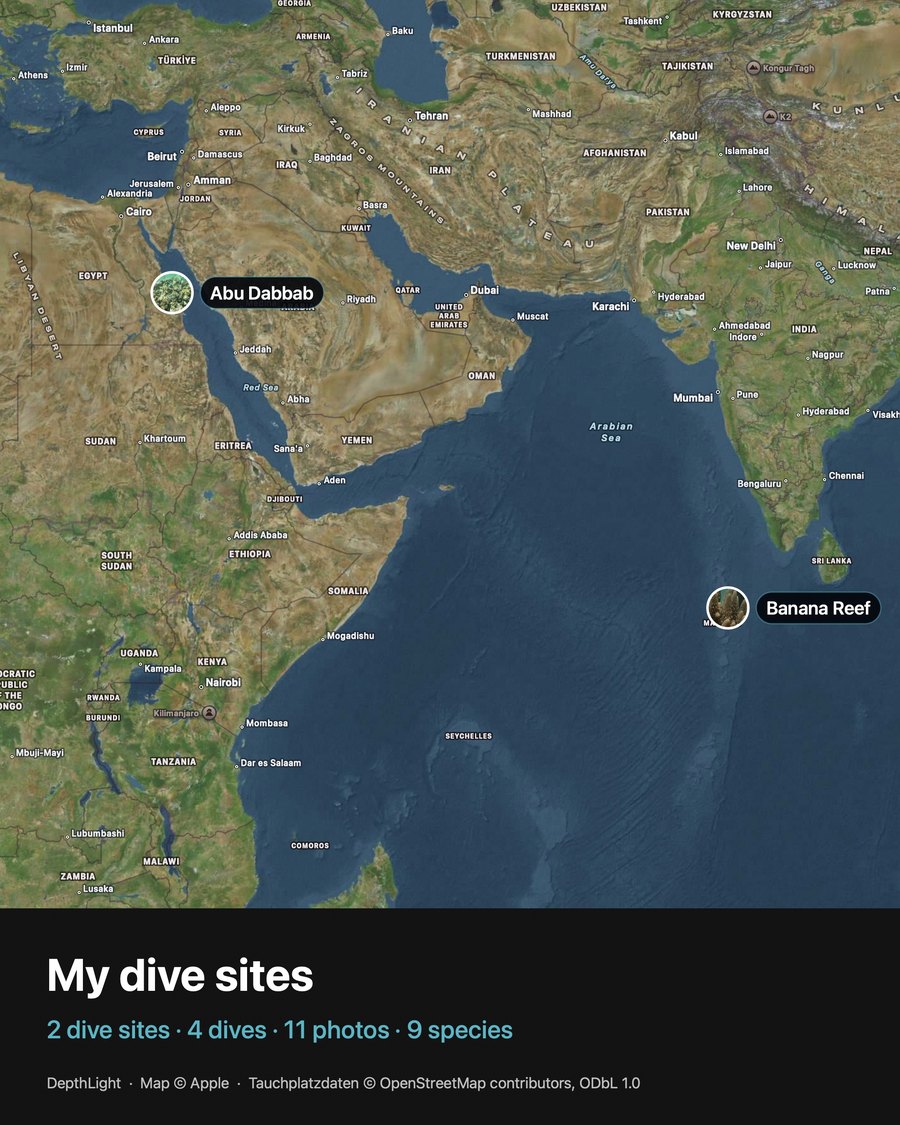
Export your dive map as a picture for Instagram or your logbook, with all your sites and numbers.

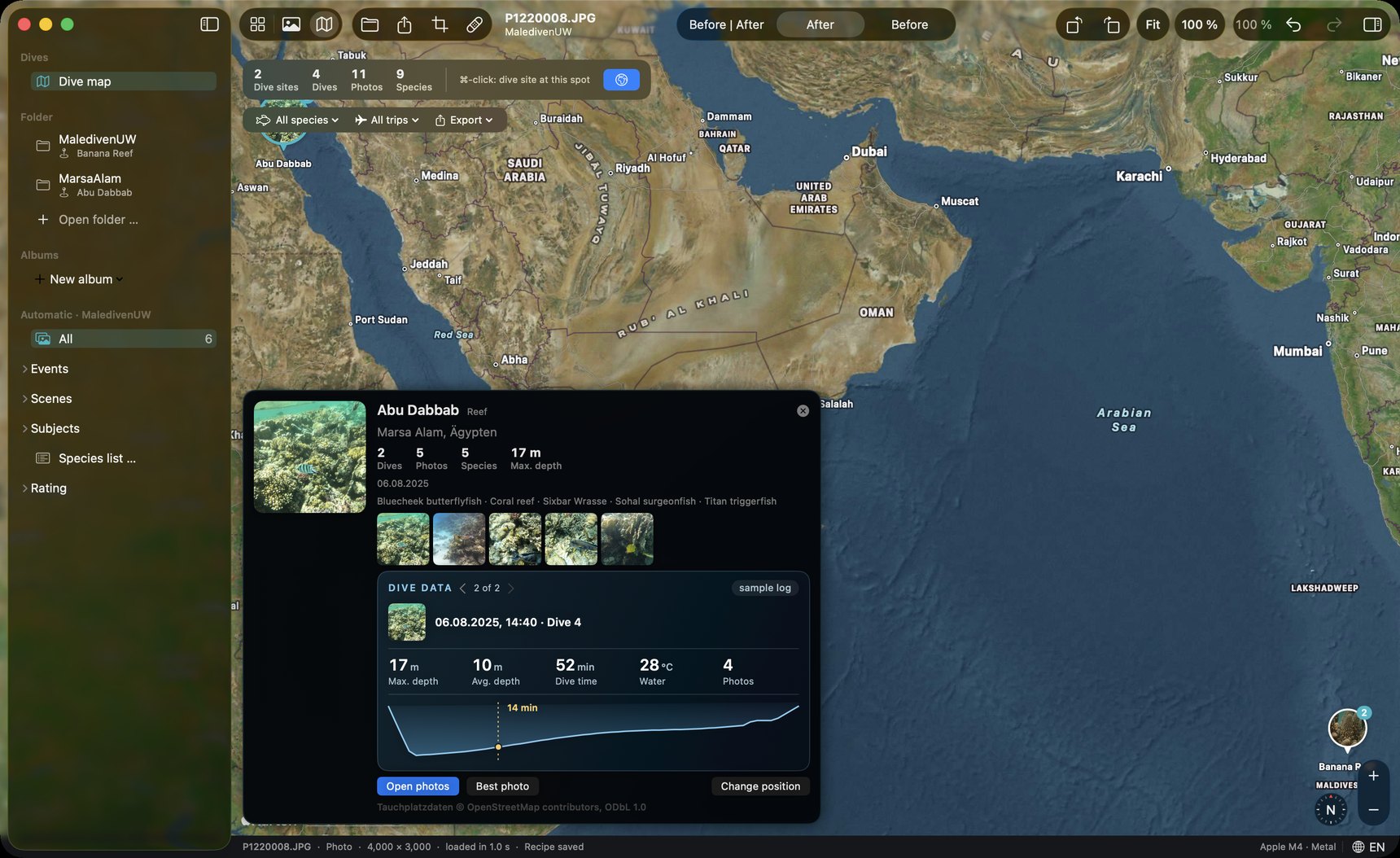
As a picture1080 × 1350, portrait, with the best photo of every site.
As dataGPX, GeoJSON or CSV, for other apps and maps.
Exported dive map: Abu Dabbab and Banana Reef, “2 dive sites · 4 dives · 11 photos · 9 species”

New in DepthLight, coming with the beta. We are looking forward to your feedback, especially on dive sites that are still missing.

Dive site data © OpenStreetMap contributors, ODbL 1.0. Map © Apple.

Join in

Alpha Logbook PDF

Your trip, as a real logbook.

After the trip, DepthLight turns your photos and dive data into a logbook you can keep, print or share: a cover with the trip at a glance, one page per dive with time, photos and every species you met — and a complete species list at the end, sorted into fish, rays & sharks, corals and more. It takes one click and a few seconds.

  • Cover with your best photo, dives, photos and species
  • One page per dive: time, duration, best photos, species seen
  • With a dive computer log: depth, temperature and the dive profile
  • Species list with photo, Latin name, count and dives
  • One dive, one day or a whole trip — in English or German
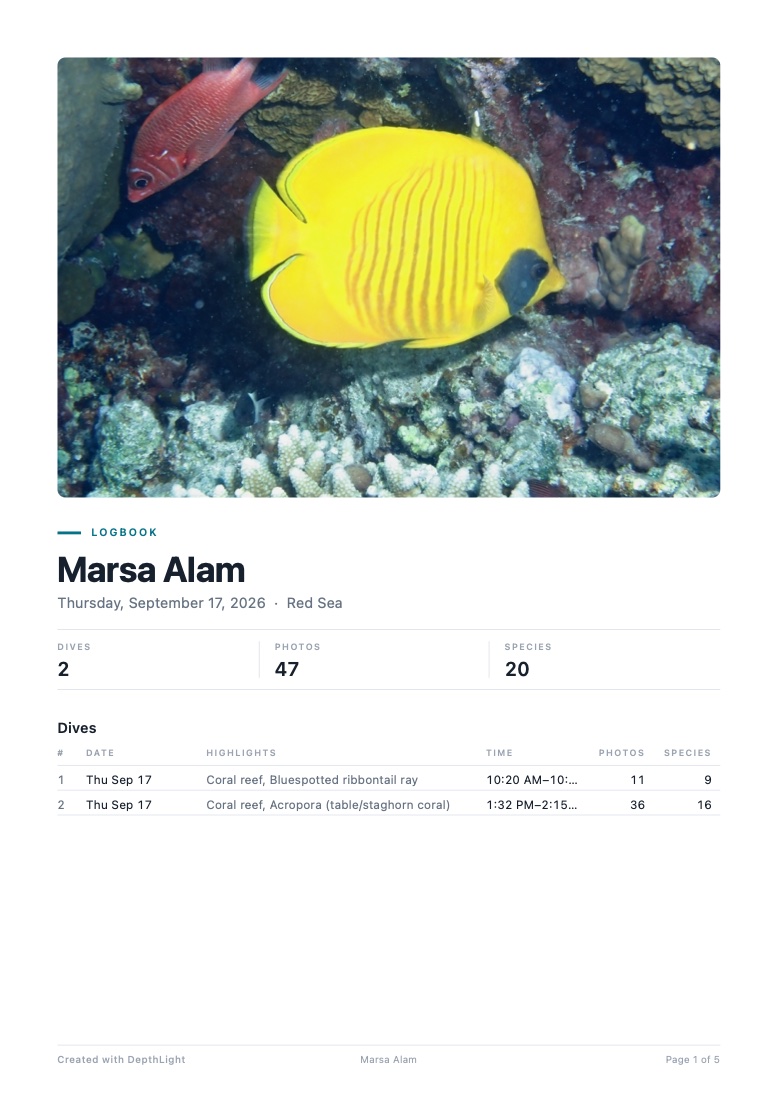
Logbook cover: Marsa Alam, 2 dives, 47 photos, 20 species, with a masked butterflyfish.
Cover
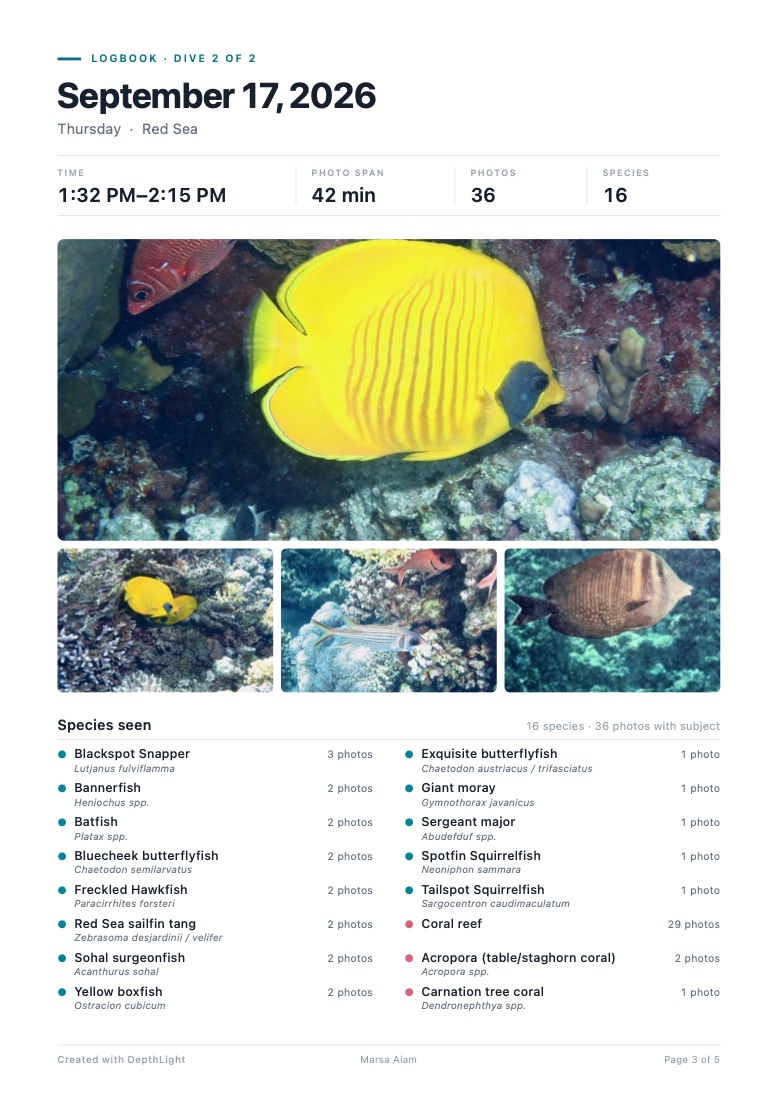
Logbook page for one dive: time 1:32–2:15 PM, 36 photos, 16 species, photos and the species seen.
One page per dive
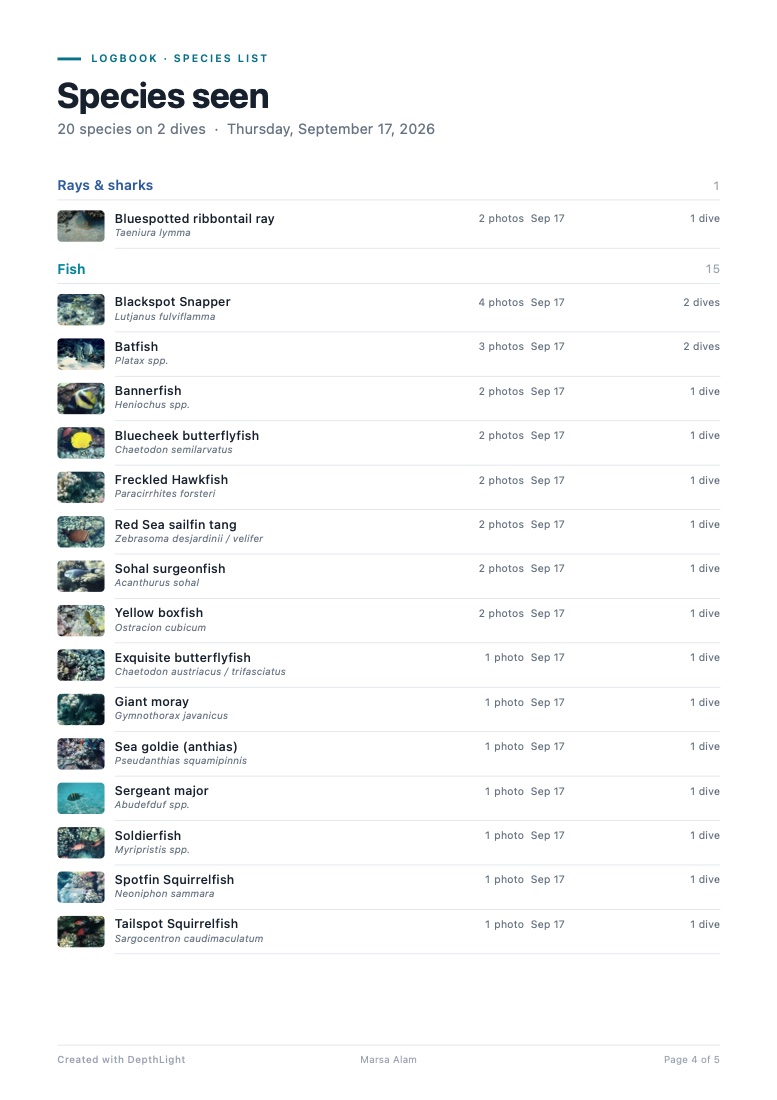
Logbook species list: 20 species on 2 dives, grouped into rays and sharks, fish and corals, each with a photo.
Species list

Generated by the app from 47 photos of one real dive day in Marsa Alam — without a dive computer log.

Details for pros

DiveMap

  • 8,000+ dive sites Reefs, wrecks and dive spots worldwide from OpenStreetMap, offline, with search as you type and typo tolerance.
  • Assign a dive site To a photo, a dive, marked photos or a whole folder — or click the spot on the map.
  • One map for all folders One pin per site with its best photo and the number of dives.
  • Site card Dives, photos, species, max depth, dates, best photos and every dive with time, duration, depth, temperature and profile.
  • Trips Dives grouped into journeys and shown with their route.
  • Species filter Only sites where a species was photographed.
  • Your own spots Create, move and delete — stored on your Mac.
  • Map as image 1080 × 1350 for Instagram or your logbook.
  • Import & export Dive sites as GPX, GeoJSON or CSV — export for Google My Maps, Garmin or Excel; import the spot list of your dive center or your own table.

Dive tools

  • Dive log import Subsurface, UDDF, Garmin FIT and Shearwater / CSV. Other dive computers via a Subsurface or UDDF export.
  • Photos ↔ dives Matched by capture time, with an adjustable camera clock offset. Depth, temperature and dive data fill in automatically.
  • Dive-data overlay 20 fields (site, depth, time, temperature, camera settings, dive number …), 6 styles: Dive log, Plain, Glass, Gradient, Hologram, Depth gauge. 6 positions, size, colors, glow.
  • Depth profile Your dive curve in the overlay, with the moment of the photo marked.
  • Logbook PDF Trip cover, dive table, one page per dive with best photos and species, plus a species page.
  • Camera depth Uses the depth some cameras record (e.g. OM System TG).
  • GPS from the dive computer Photos get the nearest known dive site automatically.

This feature’s history

All changes →