Alpha Explorer & library
A library built for dive trips.
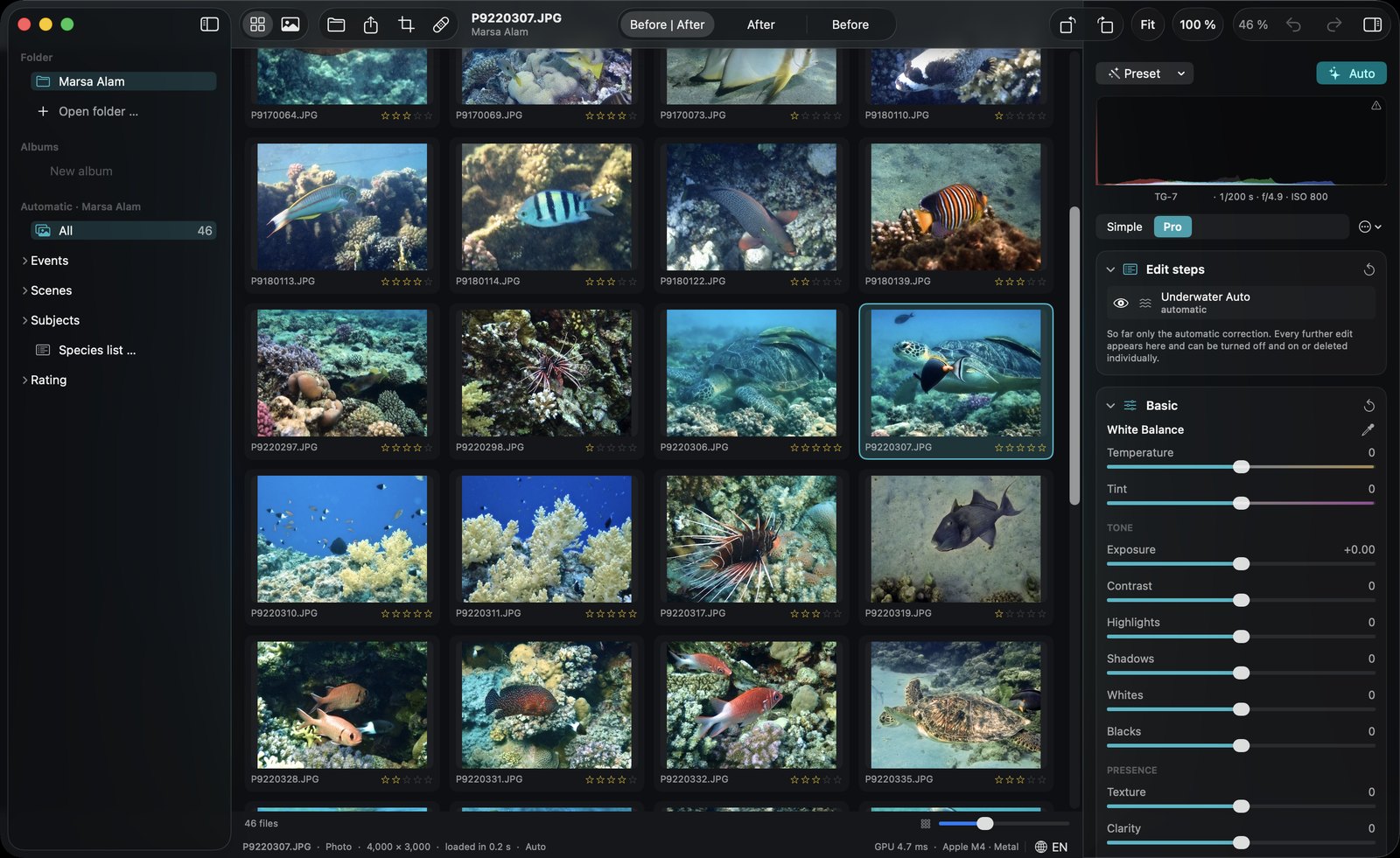
Browse your folders like in the Finder — nothing is imported or copied. Photos are grouped into dives automatically, sorted by scene and by the species you saw. And after a long dive day, DepthLight suggests the best shots of every dive: sharp, well exposed, nicely framed, no cut-off fins, no closed eyes.
How it works.
- Open a folderYour files stay where they are, nothing is imported or copied.
- Dives appear by themselvesPhotos are grouped into dives by time, with scenes and subjects.
- Read the dive reportBest photos, bursts, blurry shots and species at a glance. Click a number to see those photos.
- Pick best, apply a lookKeep the best shots and apply one edit to the whole dive.
Dive report184 photos, 12 best, 31 in bursts, 12 blurry: sort them out with one click.
Pick bestSharp, well exposed, nicely framed. Knows cut-off fins and divers seen from behind.
Search like you talk“best turtle photos from Egypt”.
Details for pros
Library & explorer
- Folders Open or drag in a folder; recent folders stay in the sidebar.
- Albums Collect photos from anywhere without copying them.
- Events = dives Photos are grouped automatically by time — a new group after a longer break.
- Scenes Reef & subject, blue water, deep (over 10 m), above water, video.
- Subjects Browse by recognized species and animals.
- Ratings & flags 0–5 stars, pick and reject — by keyboard.
- Automatic stars A quality score suggests ratings; your own rating always wins.
- Filters Minimum stars, picks only, hide rejected, photos or videos.
- Pick best Suggests the best ~15 % of each dive — judged on sharpness, exposure, color and subject, without near-duplicates.
- Framing & divers Prefers well-framed subjects; cut-off fins, closed eyes, divers cut off at the edge or only seen from behind are picked less often.
- Grid & loupe Large grid with corrected thumbnails, or single view with filmstrip.
- Formats JPEG, HEIC, TIFF, PNG, RAW and video. Opens files from Finder too.
Looks & batch editing
- Your own looks Save an edit as a look — applied on top of Auto, so every photo still gets its own analysis.
- Match this look Take the mood of any reference photo and apply it to yours.
- Apply to dive Apply an edit adaptively to every photo of a dive.
- Copy, paste & sync Transfer settings to marked or all photos.